One developer is currently available to jump onto a project!
This Is How Our Engineers Build KMP Apps
This Is How Our Engineers Build CMP Apps
How We Used AI to Investigate a Bluetooth Discovery Bug in Connected Fitness
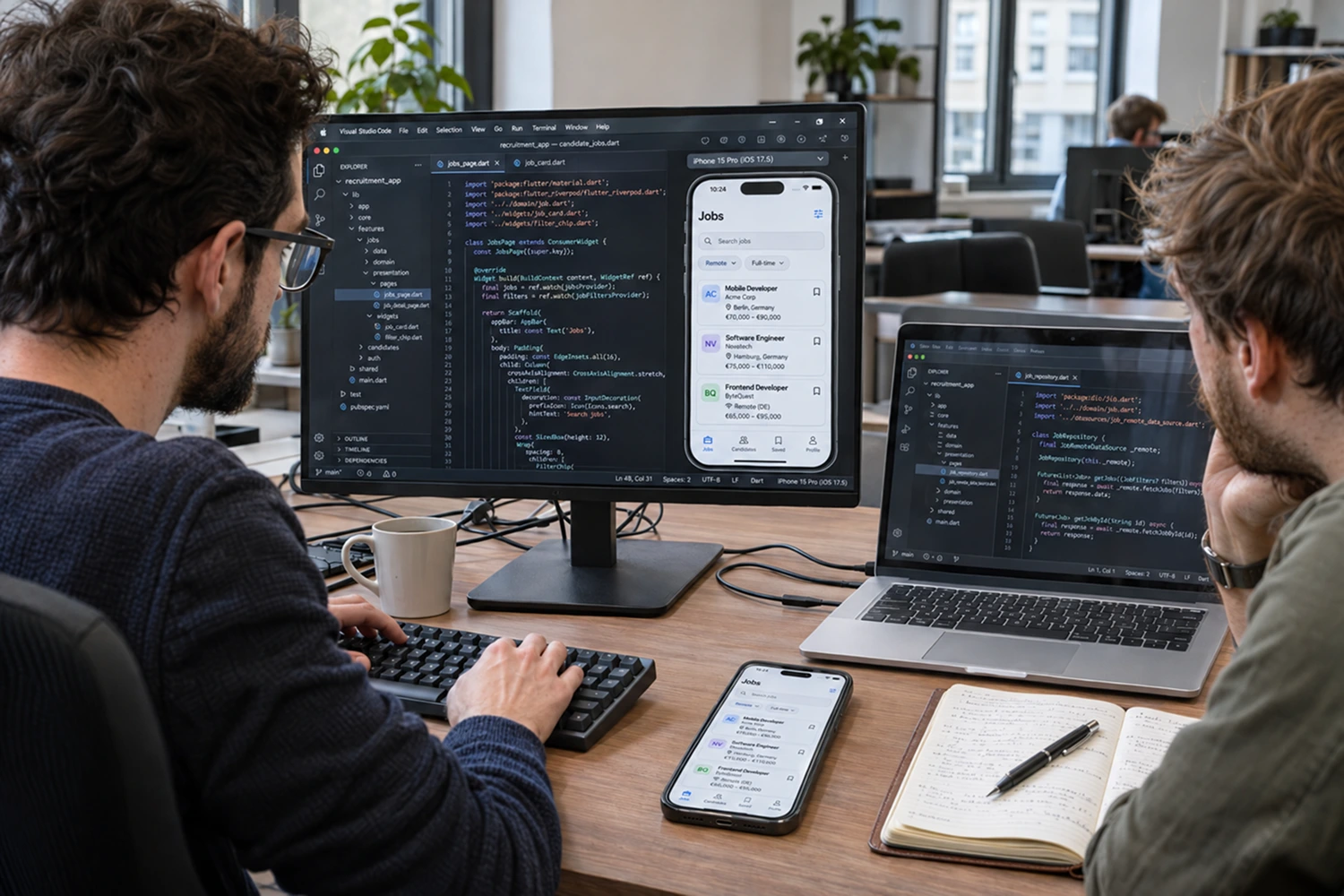
AI-assisted mobile development helped our engineers investigate a Bluetooth discovery bug in connected fitness and generate Flutter UI from Figma information in recruitment software.
In both projects, engineers reviewed the output and checked the result. The examples show where AI contributed, what needed correction, and how we decided what to accept.
I use AI every day, but when someone asks how we use it at Aetherius, I think the useful answer is to walk through actual work. Knowing which tool generated the code tells you very little about whether the implementation was appropriate for the project.
So I want to share two examples from our team: Android platform work supporting connected fitness hardware, and Flutter development for recruitment software.
They involve different technologies and different kinds of uncertainty, which makes them useful when thinking about where AI could fit into your own delivery process.
In our article on AI-assisted development costs and maintenance, I discuss the effort that remains after code generation. These projects put that effort into context.
How did AI help investigate a Bluetooth discovery bug in connected fitness?
On the connected fitness project, the tablet needed to advertise a virtual Bluetooth device that third-party training apps could discover and connect to.
The reported problem was that those apps often failed to recognize the device. Our engineer had to investigate behavior in the Android Bluetooth stack, where the relevant information was spread across platform code, existing changes, and the expected discovery behavior.
This was Android platform engineering rather than a conventional app-screen task. AI helped explore that code and propose a change, while the engineer decided what belonged in the fix.
Starting with the behavior that needed to change
The engineer first established what the user experienced and what the device was supposed to do, then supplied the agent with the bug description, relevant files or pull requests, and the expected behavior.
That gave the investigation a defined target: understand why an external training app was failing to recognize the advertised device.
The agent helped locate where the Bluetooth service identifiers were being constructed. The issue was that identifiers were represented in an internal format rather than the standard Bluetooth format the external apps expected.
AI helped identify that mismatch and propose a correction. Its useful contribution was connecting the observed problem with a specific part of the implementation that the engineer could inspect.
Checking the proposed fix on the device
The proposed change still went through diff review, a build, and testing on the tablet. The engineer checked whether the external app could see and connect to the virtual device, rather than accepting the change because the edited code looked plausible.
For this workflow, the team could build and deploy the relevant smaller platform component instead of rebuilding the entire Android platform for every iteration.
That kept the investigation close to the actual behavior. The question remained whether the device was discoverable and usable by the app that needed to connect to it.
If your product depends on Bluetooth or another native integration, this is the kind of evidence I’d want to discuss with a development partner. Ask how they reproduced the issue, why they selected that change, and how they checked the result in the environment where the failure occurred.
What did engineering review catch during an AI-assisted Android merge?
The same connected fitness project also provides an example of a proposed change that the team rejected.
During a merge conflict in Android framework code, a resolution that kept the project’s version of a public API signature file appeared reasonable. On closer inspection, that version would have removed existing method declarations that needed to remain.
The file could look clean after the conflict was resolved, while still representing the wrong combined result.
Preserving the intended change and the existing interface
The engineer recognized the missing declarations, rejected the proposed resolution, restored the appropriate version from the main branch, and retained only the intended project changes.
This was a compatibility risk caught during review, before accepting the proposed resolution. The useful lesson is the decision the engineer made at that point.
In a merge like this, I’d want to know both which project-specific changes must survive and which existing changes must be preserved. Keeping one side of a conflict wholesale can be inappropriate even when it removes all the visible conflict markers.
Why this matters beyond Android platform work
Most mobile teams won’t modify Android public API signature files, but they still work with contracts that other code depends on: shared interfaces, native bridges, API models, and dependency configurations.
When reviewing an AI-assisted change, I’d ask whether it touched any of those boundaries and whether each change was necessary for the task. That helps define what else needs checking before the team continues development.
This example is also why I want the author of a pull request to understand the entire diff. An agent’s explanation can help with navigation, but someone who knows the project needs to compare the proposed result with what the system must preserve.
How did AI help build Flutter UI for recruitment software?
The second project involved Flutter development for recruitment software, where our engineer used coding assistants with Figma MCP to support initial UI implementation.
The agent could read design tokens and relevant design information, then map them into code. Jira MCP also provided task context, while project instructions described conventions and architectural preferences.
That made AI useful for the first implementation because the design and task information provided concrete references. The engineer could spend more attention reviewing the result instead of manually transferring every design detail.
Where the first implementation needed correction
Our engineer described a recurring limitation in this Figma-to-Flutter workflow: the initial output could map colors, typography, and dimensions reasonably well, yet introduce unnecessary widgets or fail to match some design attributes accurately.
Those issues were corrected through review and further changes.
That is an important distinction when evaluating a generated screen. Visual similarity is one part of acceptance, while the structure of the implementation affects how easily the team can maintain it.
If the next developer needs to change spacing, add a state, or reuse part of the screen, the implementation should fit the component patterns they already work with. Otherwise, some of the effort saved during generation comes back when the team needs to modify the result.
When reviewing generated Flutter code, I’d therefore look at both the screen and its structure: does it match the design, does it follow the project’s patterns, and is the widget hierarchy justified by what the screen needs to do?

From generated UI to accepted code
The engineer described working through requirements and an implementation plan before generating changes, using project and task context to guide the agent.
After implementation, the workflow included reviewing the generated code, checking the app manually, running relevant tests, and submitting the change for peer review.
The engineer also reviewed AI-generated tests against the requirements and relevant negative scenarios. Passing tests alone didn’t establish that the generated implementation matched the intended behavior.
There wasn’t a formal time comparison that would support a percentage-saving claim. What the engineer reported was a useful reduction in effort around exploration and initial implementation, with review, corrections, and validation still part of the work.
For someone planning a Flutter roadmap, that is a more useful basis for discussion than a promise that every screen will take a fixed amount less time. The quality of the design context, existing components, and acceptance criteria all influence how much of the initial output the team can keep.
What do these two projects tell us about AI-assisted mobile development?
AI was useful in both projects because the engineers could connect its output to something they could examine: a discovery failure on a device, an interface that had to be preserved, or a design and task requirement.
The acceptance checks differed because the risks differed.
For a CTO or Head of Mobile evaluating an AI-assisted development partner, these are useful questions to bring into a technical conversation.
Which tasks will the engineers delegate?
What evidence will they use to accept the result?
Who can explain the change when another team member challenges it?
A partner should be able to discuss those decisions using work similar to yours, including the limits of what the evidence establishes.
When would a review of your AI code or workflow help?
A review is useful when your team repeatedly corrects the same generated mistakes, struggles to validate a native integration, or wants an independent view before extending an existing implementation.
I’d start with a representative feature or set of changes, then look at the requirement, context provided to the agent, resulting diff, and acceptance checks. That gives us something concrete to investigate.
The next step could be a targeted code correction, a clearer API contract, better project instructions, or additional validation. If the approach is sound but the team needs help carrying it out, ongoing engineering support may be more useful than a standalone assessment.
This is part of our work, and our engineers can also join an existing mobile team to support implementation and review within its process.
If AI isn’t giving your team the results you expected, or you want a second opinion on whether the code and workflow are set up appropriately, you can always reach out to me or check Aetherius AI-Accelerated Mobile Development Services.
We can discuss a concrete example from your app and agree on what needs a closer look before you commit more development effort.
Key takeaways
- In connected fitness, AI helped investigate Bluetooth discovery, while engineers checked the proposed change on the device.
- Engineering review rejected a merge resolution that would have removed existing API declarations.
- In Flutter development, design context helped generate initial UI, while engineers corrected differences and simplified the implementation.
- Evaluate AI-assisted work through the evidence used to accept it, including review and validation.
Frequently asked questions
Can AI help debug native mobile integrations?
Our connected fitness example shows how AI supported investigation of Bluetooth platform code. Its usefulness depended on relevant context and an engineer checking the proposal through code review, builds, and device testing.
Is Flutter code generated from Figma ready for production?
It needs review and validation before acceptance. In our team’s workflow, engineers corrected design differences and unnecessary widget structures, checked behavior, and submitted changes for peer review.
Can you review our existing AI-assisted code without taking over development?
Yes. We can discuss a focused review of a feature, module, or set of changes, with an agreed scope and clear findings for your team to act on.
to Build Your App?