One developer is currently available to jump onto a project!
This Is How Our Engineers Build KMP Apps
This Is How Our Engineers Build CMP Apps
Is AI Making Your App Cheaper to Build or More Expensive to Maintain?
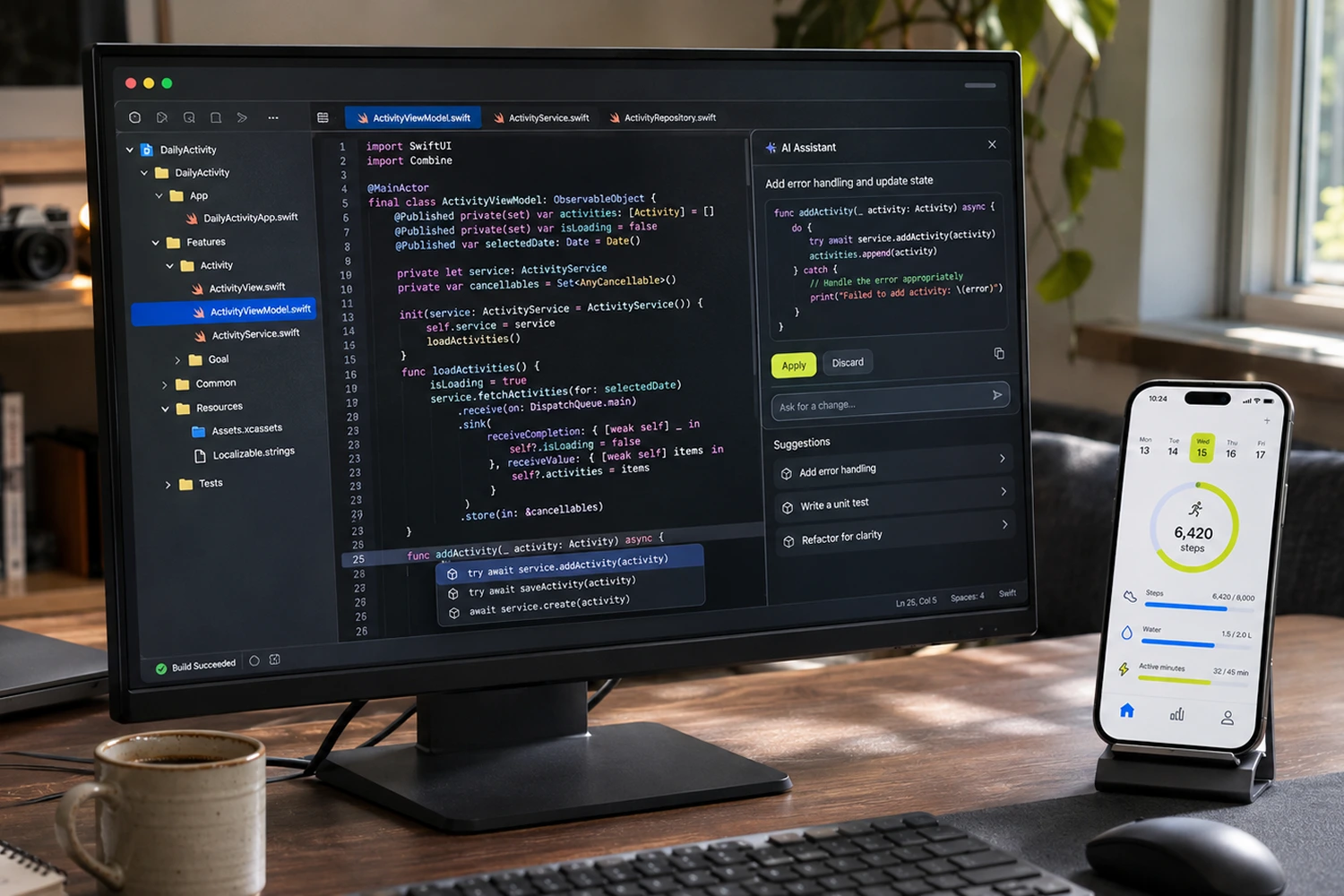
AI-assisted mobile development can reduce implementation effort, but the total cost depends on how much work remains in review, corrections, testing, and maintenance. Clear requirements and established code patterns make savings more likely, while unnecessary complexity or incorrect assumptions can make a quickly generated feature expensive to keep changing.
I use AI in my day-to-day development work, and we use it across native and cross-platform projects at Aetherius. That includes analyzing existing code, planning features, generating implementations, investigating bugs, and supporting migrations.
Here, I’m talking about engineers using AI to develop an app, whether or not the product itself contains any AI functionality.
What I’ve found is that the first implementation often arrives much sooner, but getting it ready for someone else to review still takes attention. I need to understand what changed, check how it fits the project, and run the app before I’m comfortable putting my name on the pull request.
If you’re responsible for a mobile budget or roadmap, that whole process is what I’d look at when deciding whether AI is saving your team money.
Key takeaways
- Evaluate AI-assisted development through the cost of accepted, maintained functionality, including review and corrections.
- Clear requirements and established project patterns make useful results easier to achieve.
- Engineers need to understand generated changes and validate the behavior affected by them.
- A focused review can establish what needs improvement without assuming the app requires a rewrite.
Does AI-assisted development actually reduce mobile app costs?
AI can reduce development costs when it removes effort from work that would otherwise take longer, without adding an equivalent amount of correction or maintenance afterward.
The useful comparison is the time and effort needed to deliver an accepted change. That includes understanding the task, implementing it, reviewing the result, testing the affected behavior, and dealing with any problems it introduces.
This is how we approach AI-assisted mobile development: we use the tools where they help, while an engineer stays responsible for the implementation.
Imagine an agent produces a feature quickly, but the author spends the rest of the afternoon simplifying it, and a reviewer then needs another round to understand the remaining changes. Some implementation effort has been saved, but you still need to account for everything that happened afterward.
Review time is part of delivering software, and I expect to spend it on AI-assisted changes. What I want to avoid is consuming that time on unnecessary complexity or assumptions we could have clarified before implementation.
Which mobile development tasks benefit most from AI assistance?
The strongest candidates in our experience are tasks with clear requirements, a relevant example in the codebase, and an outcome we can check.
You can see how this worked on two of our projects in our practical examples of using AI for Bluetooth debugging and Flutter UI development, including what our engineers corrected and how they checked the results.
One of our engineers described this well through several search flows in a KMP application. The screens had a similar structure: a query, debounce behavior, loading, empty and error states, results, and navigation.
Once a working search flow existed, the agent could use it as a reference for another one, following the established MVI structure and helping connect the ViewModel to the repository.
The engineer still reviewed the API mapping, corrected details, and checked the flow in a UAT build. The useful saving was in finding and adapting a known pattern, rather than rebuilding the same structure manually.
We see similar opportunities in model mapping, repetitive dependency-injection setup, and initial UI implementation from design information. On Flutter projects, for example, Figma MCP has helped our engineers transfer design tokens into an initial implementation, although layout differences and unnecessary widget structures still needed correction.
These are useful starting points when choosing where to introduce AI. I’d begin with a bounded feature like this before applying a savings assumption to the whole roadmap.
When does AI-generated code become more expensive to maintain?
Maintenance becomes more expensive when accepted changes make the next task harder to understand, implement, or verify.
One recurring issue in our team’s experience is an agent creating more structure than the feature needs. You ask for a relatively small change and receive additional classes, helper objects, and files that all need to be understood before you can decide whether they belong.
I’ve had to go back through generated implementations and ask for them to be simplified or brought into line with the project’s conventions. Otherwise, the next engineer inherits those decisions and has to work around them.
There are also changes that look reasonable locally but don’t solve the product problem. One engineer described search and progress-related bugs where the important work was understanding the ticket and API response. Continuing to generate fixes around an incorrect interpretation only extended the investigation.
An Android example from another engineer involved a Context reference stored in a Kotlin object, alongside objects created outside the existing dependency-injection setup. That raised questions about lifetime and architecture that needed review. If a long-lived object retains an Activity context, it can retain the Activity longer than intended; the exact risk depends on the reference and how it is used.
Android’s memory guidance, updated September 21, 2026, also emphasizes lifecycle-aware resource management and tools for investigating retained objects.
These are the kinds of details I want checked before a change becomes part of the codebase. A successful build is useful evidence, but it doesn’t answer every question about ownership, behavior, or future maintenance.
What should engineers review before AI-generated mobile code is merged?
An engineer should be able to explain what the change does, why it fits the project, and how its behavior was verified before asking the rest of the team to approve it.
My own process usually begins before implementation. I give the agent the task, work through a plan, and ask it to raise questions about anything unclear. Sometimes those questions require a conversation with the PM or another engineer, because the answer isn’t present in the repository.
After implementation, I go through the changed files and check the approach against the architecture and conventions. I may ask the agent to summarize its changes, but I still inspect the actual diff and request corrections where needed.
The questions I keep coming back to are:
- Does this implement the requirement, including the relevant API behavior?
- Does it reuse the project’s existing dependencies and patterns?
- Are all these changes necessary for the task?
- Do the tests cover the expected behavior and the failure we’re trying to prevent?
- Have we checked the affected behavior in the running app?
Test review deserves particular attention. If an agent implements a feature and writes tests from that implementation, both may contain the same misunderstanding. I compare the tests with the requirement and, for a bug fix, the original reproduction steps.
On mobile, I also choose runtime checks based on what changed. Navigation, permissions, background transitions, offline behavior, and native integrations can all require different validation. A shared-code change needs consideration of the platforms consuming it, even if most of the visible work happened on Android.
You can find more detail in our AI-assisted mobile development workflow. The exact checks depend on the project; what remains consistent is that the engineer accepting the change needs to understand it.

Why do AI coding tools struggle with some existing codebases?
Poor results often come from a combination of unclear requirements, missing project context, and tasks that are too broad to verify efficiently.
On one of my day-to-day projects, we had a root CLAUDE.md file, but hadn’t done much work on more specific project context. I could still use Claude, although getting an implementation ready for review involved a lot of back-and-forth.
That experience is why I’d inspect the setup before concluding that a tool is unsuitable. Does it know which module owns the behavior? Can it find a valid example? Does the ticket explain the edge cases? Are its instructions still accurate?
For a larger codebase, I want the agent to reach the relevant project rules and feature context without repeatedly exploring unrelated parts of the repository. That context also needs maintenance as the project changes.
We’ve written about Claude Code configurations and token usage, but I’d keep token efficiency separate from delivery savings. Spending fewer tokens is useful; the implementation still has to be correct and maintainable.
If your team keeps correcting the same mistakes, such as agents bypassing DI or placing business logic in the wrong layer, I’d investigate that repeated pattern before adding another tool.
Does AI make separate iOS and Android apps cheaper to maintain?
AI can reduce some effort in separate native implementations, but keeping their business behavior aligned still requires engineering work.
I used AI on one project to compare a particular behavior across iOS, Android, and web code. It helped produce a document of differences and questions to discuss with the team, which was a useful way to prepare for the conversation.
The team still had to decide which differences were intentional and what the agreed behavior should be.
That work belongs in the cost of maintaining separate implementations. When a business rule changes, someone needs to update each relevant version, review it, and verify that users receive the intended outcome.
Kotlin Multiplatform can centralize selected business logic, while Compose Multiplatform can extend sharing into UI where it fits. Both still require platform integration and testing. Separate native apps may remain the right choice because of platform-specific requirements, established architecture, or the team’s expertise.
I wouldn’t recommend a migration based only on an expectation that AI makes it easier, and I wouldn’t assume AI removes the value of shared code. I’d compare the work required for representative features, including migration effort and ongoing ownership.
Our AI-assisted Compose Multiplatform migration experience gives one example of where AI helped engineers investigate and implement changes while platform decisions remained with the team.
How can you tell whether AI is reducing your development costs?
Start by comparing similar tasks and recording the effort needed to get them accepted, including corrections, review, and validation.
A repeated settings screen and an intermittent lifecycle bug have different uncertainties, so grouping them together won’t tell you much about where AI helps.
For a small evaluation, I’d track:
I’d separate active work from time waiting for review or another team, and note differences in scope and developer familiarity.
Our developer interviews don’t give us a controlled measurement of overall savings, so I wouldn’t use them to promise a percentage reduction in someone else’s project. They do give us useful evidence about which activities become easier and where engineers still spend time.
That is enough to choose a sensible pilot and assess the result before changing a budget or delivery commitment.
When should you get an external review of your AI code and workflow?
An external review can help when your team repeatedly struggles with generated changes, or when you want a second opinion before building further on the current implementation.
You don’t need to wait for a production issue. You might have working features and still want to check whether the architecture, tests, and project instructions provide a sound basis for continued development.
I’d start with a representative feature or module and look at the requirement, the context available to the agent, the resulting code, and the checks used to accept it. That makes it easier to distinguish a code problem from a workflow problem.
Depending on what we find, the next step could be a targeted correction, clearer project instructions, better test coverage, or additional mobile expertise. A broader refactor needs its own justification, and I wouldn’t make it the starting assumption.
Where the approach is good but the team needs ongoing help implementing and reviewing changes, extending the mobile team may be more useful.
If AI isn’t giving your team the results you expected, or you want to check that your code and setup are in good shape before continuing, you can reach out and we’ll jump on a call to discuss what’s the problem.
Frequently asked questions
Does AI-assisted development reduce mobile app development costs?
It can reduce effort in code exploration, repetitive implementation, and some investigation tasks. Overall savings depend on the correction, review, testing, and maintenance work required, so the most useful evaluation follows similar changes through to acceptance.
Why does AI-generated code need human review?
Generated code can implement an incorrect assumption, depart from the architecture, or miss platform behavior. Human review connects the change to the product requirement and the surrounding system, with an engineer responsible for accepting it.
Can AI-generated code be maintained without a rewrite?
Yes. Its origin doesn’t establish whether a rewrite is needed. Assess the behavior, structure, dependencies, and cost of targeted improvements before deciding how much should change.
Do passing tests prove that AI-generated code is correct?
Passing tests confirm that their assertions were satisfied. Engineers still need to check whether those assertions represent the requirements, cover relevant failures, and are supported by appropriate runtime validation.
Can I arrange a consultation if I’m unsure about our AI setup?
Yes. You can discuss your codebase and workflow with me, including how agents receive project context, how changes are reviewed, and where the team is spending time on corrections. We can use that discussion to agree on a useful scope for a closer review.
to Build Your App?