One developer is currently available to jump onto a project!
This Is How Our Engineers Build KMP Apps
This Is How Our Engineers Build CMP Apps
AI-Assisted Mobile Development: A Practical Engineering Guide
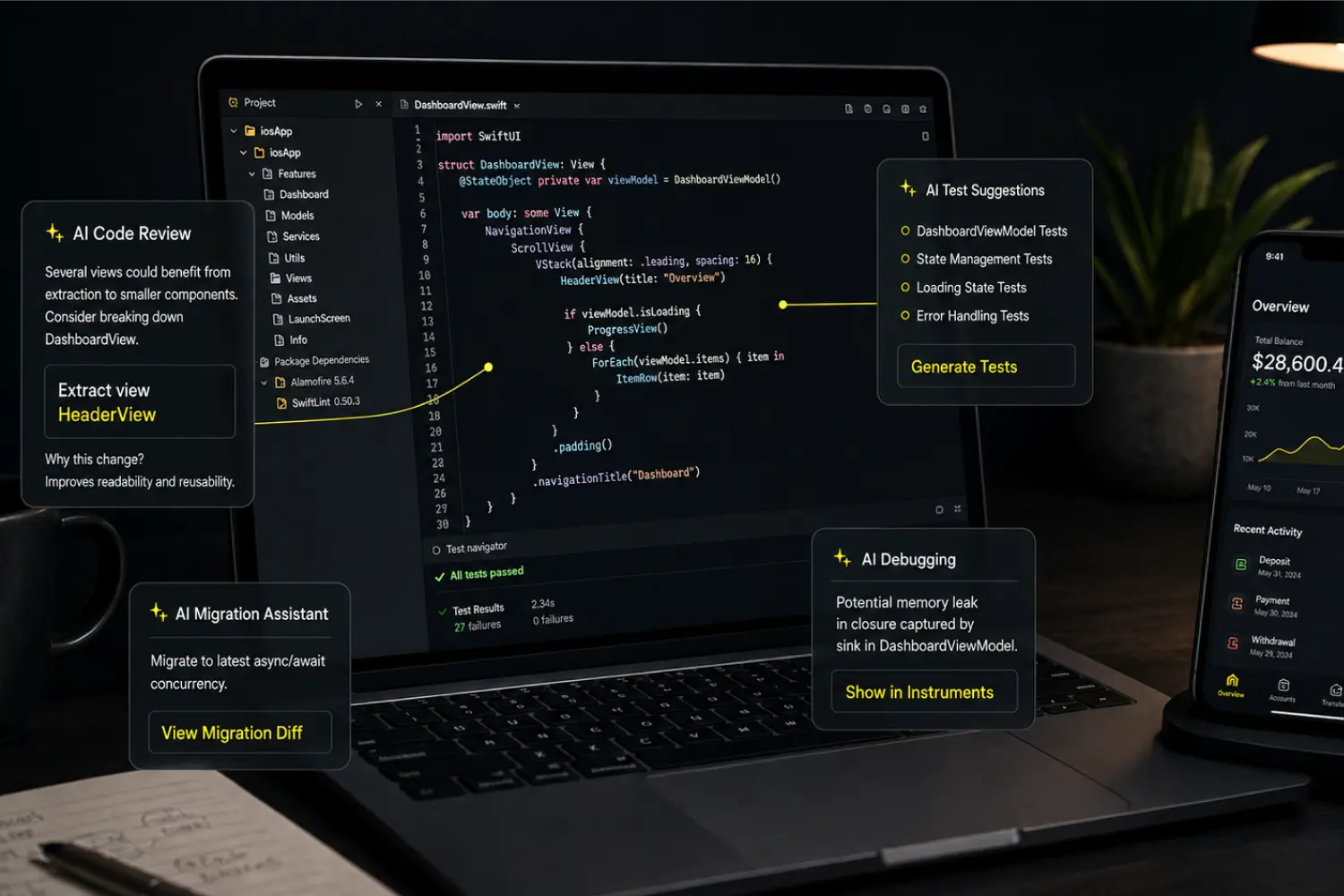
AI-assisted mobile app development is most useful when it removes repetitive work around engineering decisions, not when it attempts to make those decisions on behalf of the team.
In a production codebase, generating code is rarely the main constraint. The difficult work is understanding existing architecture, identifying the correct system boundary, accounting for Android and iOS behavior, validating failure paths, and ensuring that a change remains maintainable after the engineer who introduced it has moved on.
At Aetherius, we use AI coding tools to support experienced mobile engineers during codebase analysis, well-defined implementation work, debugging, documentation, and application migrations. The objective is not to maximize generated output. It is to reach useful engineering outcomes with less time spent on repetitive analysis while preserving architecture, platform behavior, security, and human accountability.
This guide explains where AI contributes to mobile delivery, where it creates risk, how we review AI-generated code, and what an enterprise team should evaluate before allowing AI tools into its development workflow.
Key Takeaways
- AI delivers the most value on bounded tasks with sufficient technical context and a result that engineers can verify.
- Code generation is only one use case; codebase analysis, configuration comparison, debugging, test scaffolding, documentation, and migration support are often more valuable.
- Our production KMP-to-CMP migration experience showed that AI can accelerate investigation and cross-platform implementation while engineers retain architectural control. If you want to know details, feel free to contact us.
- AI does not decide module boundaries, state ownership, shared-versus-native architecture, migration sequencing, or acceptable release risk.
- Every accepted change must be understood, reviewed, integrated, and tested by an engineer who owns the result.
- Mobile-specific validation remains essential because lifecycle, concurrency, permissions, memory management, offline behavior, and native integrations can differ even when two implementations appear equivalent.
- Client policies, NDAs, repository controls, privacy requirements, and approved-tool lists determine whether and how AI may be used on an engagement.
Quick overview: What AI-Assisted Development Means
AI-assisted development is a delivery model in which engineers use AI tools to accelerate specific parts of software work while retaining responsibility for the technical approach and the code that enters production. Depending on the task, the tool may help navigate a repository, compare configurations, draft a repetitive mapping, propose tests, explain a build error, or translate the intent of an Android implementation into an initial iOS approach.
The distinction between assistance and autonomy matters. A mobile product contains constraints that are rarely represented in one prompt: architectural history, implicit product behavior, operating-system differences, team ownership, release procedures, privacy requirements, and dependencies on services outside the repository. A plausible implementation can compile and still be wrong for the system.
AI coding is valuable when the task is bounded
A strong candidate for AI assistance has a clear objective, relevant context, explicit constraints, and a result that can be checked. Examples include adapting an existing project pattern, tracing a feature across known modules, comparing two build configurations, drafting test scaffolding, or implementing a platform counterpart against a defined interface.
Ambiguous work behaves differently. A request such as “modernize this architecture” contains decisions about ownership, coupling, migration risk, delivery sequencing, and long-term cost. AI can help expose options, but an experienced engineer must decide which tradeoffs fit the product and organization.
AI-generated code is not a separate quality category
Once a change is accepted, its origin is irrelevant. It must meet the same functional, architectural, security, testing, and maintainability standards as any other contribution. There is no useful production distinction between “human code” and “AI code”; there is only code the delivery team understands and accepts responsibility for, and code that should not ship.
How Aetherius Uses AI in Mobile Development
The workflow varies by codebase, task, information sensitivity, and the cost of an incorrect change. We do not apply the same level of AI access or the same review process to every ticket.
We’ve also broken down how we approach AI-assisted mobile development in more detail here: AI-Assisted Mobile Development.
Codebase analysis and onboarding into an existing mobile product
Entering an established Android, iOS, or multiplatform repository requires more than locating application entry points. Engineers need to understand module boundaries, dependency direction, state management, navigation, platform abstractions, build logic, test conventions, and the historical decisions implied by the code.
AI-assisted codebase analysis can help locate related components, trace a feature across layers, summarize an unfamiliar module, and identify patterns used elsewhere in the project. This can shorten the path to informed questions and let a senior engineer focus earlier on architectural intent and risk.
The output is still a map, not an architectural verdict. An engineer must determine whether an observed pattern is intentional, whether it should be extended, and whether the tool has mistaken technical debt for a convention.
Implementation support for well-defined changes
For bounded tasks, AI can assist with boilerplate, repetitive model mappings, API usage, documentation, test scaffolding, and adaptations of a pattern already established in the codebase. The quality of the result depends heavily on the supplied context: relevant interfaces, project conventions, target platform, error-handling rules, concurrency expectations, and acceptance criteria.
This saves time only when review effort remains proportionate. A short generated implementation may look efficient while introducing a duplicate abstraction, increasing coupling, crossing a module boundary, or breaking an assumption about state or threading. Engineers therefore evaluate whether the proposed change belongs in the system, not merely whether it works in isolation.
Android and iOS implementation across native boundaries
Mobile engineers regularly move between Kotlin, Swift, Android and iOS SDKs, Gradle, Xcode, dependency managers, and different lifecycle models. AI can work as a contextual pairing tool when an engineer needs to investigate an unfamiliar native API, compare platform approaches, or create a first implementation of an iOS counterpart from a validated Android behavior.
API similarity is not behavioral equivalence. Lifecycle transitions, background execution, navigation, permissions, concurrency, memory management, and interface conventions can produce different outcomes on each platform. We therefore validate platform-specific behavior on the platform where it will run rather than accepting a syntactically correct translation.
Kotlin Multiplatform and Compose Multiplatform development
Kotlin Multiplatform and Compose Multiplatform projects add another set of architectural choices: what belongs in shared code, where native integration should remain explicit, how dependencies cross the boundary, and who will own the shared and platform-specific layers over time.
AI can help identify Android-bound APIs, locate code that prevents compilation in commonMain, explore expect/actual boundaries, compare native dependency configurations, and support implementation across Kotlin and Swift contexts. It cannot decide whether sharing a particular UI or business capability is beneficial. That decision depends on platform requirements, team skills, product UX, migration risk, testing strategy, and the expected maintenance model.
AI-assisted mobile app migration and modernization
Migrations produce many connected failures at once. Moving business logic or UI into shared code, replacing a framework, modernizing a legacy module, or changing a dependency strategy can affect build configuration, lifecycle behavior, native APIs, test coverage, and release sequencing.
We use AI to compare configurations, group related errors, identify platform-bound code, explore equivalent APIs, and accelerate repetitive implementation. This helps turn a large failure set into smaller categories that an engineer can reason about and sequence.
AI does not define the migration architecture. Engineers still decide which code should be shared, what must remain native, how to introduce compatibility boundaries, what can be released incrementally, and which rollback options are required. Those decisions determine whether a migration reduces long-term cost or simply moves complexity into a less visible layer.
Build configuration and dependency troubleshooting
Complex mobile build failures often emerge from the interaction of several systems rather than a single incorrect line. This is common when a project combines Gradle, Xcode, CocoaPods, Swift Package Manager, Firebase, native frameworks, and platform-specific build settings.
AI can compare working and failing configurations, trace a dependency across files, explain an unfamiliar setting, correlate error messages, and produce hypotheses for the next experiment. The benefit is a shorter route to a useful diagnostic step, not proof of the root cause. Engineers still reproduce the failure, isolate the relevant variable, apply the change, and confirm that it works across the required local and CI environments.
Testing, debugging, and technical documentation
AI can propose test scenarios, identify likely edge cases, explain a failure path, draft technical documentation, and create an initial test implementation. This is useful for reducing setup work and challenging an engineer's first test plan.
The model cannot define correct product behavior on its own. The team must determine which workflows are business-critical, where deterministic tests are required, which device or platform conditions need reproduction, and whether a test validates an independent requirement rather than merely confirming the generated implementation.
A Practical AI-Assisted Mobile Development Workflow
The quality of AI-assisted work depends less on the brand of tool than on the controls around it. A practical workflow makes the task boundaries, context, decision ownership, and validation requirements explicit before generated output can enter the codebase.
1. Classify the task and its risk
We first determine whether the task is suitable for AI assistance. A localized mapping or configuration comparison has a different risk profile from changes to authentication, payments, synchronization, permissions, sensitive storage, or a shared architectural layer.
Risk determines how much context can be provided, which tools are permitted, who reviews the change, and what validation is required. If the result cannot be evaluated reliably, AI is not the appropriate shortcut.
2. Supply bounded, relevant context
Useful context may include interfaces, representative implementations, architectural constraints, build files, failure logs, test expectations, and the target platform. Providing an entire repository when only a few modules are relevant can add noise, consume unnecessary resources, and expose unrelated information.
Context management is therefore both an engineering-quality concern and a privacy control. The goal is to provide enough information for the task while minimizing irrelevant code, secrets, personal data, and proprietary business information.
3. Let engineers select the technical approach
AI may compare options or challenge an assumption, but engineers choose module boundaries, dependency direction, state ownership, data flow, migration sequencing, and platform-specific responsibilities. These decisions require an understanding of product constraints, release risk, team structure, performance, maintainability, and the expected lifetime of the system.
4. Review the proposed change for system fit
Review goes beyond syntax and style. The engineer checks whether the implementation follows existing conventions, duplicates behavior, increases coupling, hides platform-specific complexity, weakens an architectural boundary, or makes future changes more expensive.
The accepting engineer must be able to explain why the change works, which assumptions it makes, how dependencies can fail, and how the behavior will be observed or debugged in production.
5. Validate in the real development environment
Generated code is compiled, integrated, tested, and run in the environments relevant to the change. Depending on risk, this can include unit and integration tests, manual verification, Android and iOS device testing, build checks, dependency validation, CI execution, and explicit review of failure paths.
Passing compilation is only an early signal. Mobile failures frequently appear during lifecycle changes, network degradation, process recreation, permission denial, background execution, platform updates, or interaction with a native dependency.
6. Accept ownership or reject the output
AI can suggest a change, but it cannot accept responsibility for it. If the engineer cannot explain and support the implementation, it should not enter the project. Once accepted, the engineer and delivery team own the result under the same review and maintenance process as any other contribution.

Production Example: AI Support During a Multiplatform Migration
In one production engagement, a mobile application was moving from Kotlin Multiplatform with separate platform interfaces toward Compose Multiplatform shared UI. The work involved more than moving screens into a shared source set. Android-specific APIs had to be identified and separated, native iOS counterparts had to be implemented, and Firebase and other native dependencies had to work within the final build configuration.
The team used Claude Code to compare project configurations, investigate build failures, and provide contextual support while moving between Android and iOS implementation concerns. A working Android implementation could serve as concrete context while the engineer examined the equivalent iOS APIs and behavior.
The tool did not automate the migration. Aetherius engineers classified failures, determined shared and platform-specific boundaries, implemented native counterparts, revised the dependency approach when an initial configuration did not produce a stable build, and validated the application on its target platforms.
The practical lesson is not that a particular model can complete a multiplatform migration. It is that AI can reduce repetitive investigation and context switching when experienced mobile engineers define the architecture, verify native behavior, and retain control of the final result.
Planning a Kotlin Multiplatform or Compose Multiplatform migration? Review our Kotlin Multiplatform approach or discuss the migration boundaries and delivery risks with our mobile engineers.
You can also browse relevant mobile work for additional project context.
How We Control AI-Generated Code Quality
AI output is evaluated against the project, not against how convincing the response appears. The following controls address the failure modes that matter in a production mobile system.
Architectural consistency and maintainability
We review dependency direction, state ownership, responsibilities between layers, duplication, testability, and the boundary between shared and native code. This matters because locally correct code can still increase the cost of every later feature if it places responsibility in the wrong module or makes platform behavior harder to isolate.
Performance and platform behavior
Generated code can introduce excessive allocation, unnecessary recomposition, blocking work, poor coroutine or concurrency choices, incorrect lifecycle assumptions, or avoidable bridge calls between shared and native layers. Relevant changes are tested and profiled in their real execution path rather than judged from a snippet.
Dependency and API verification
AI tools can recommend outdated APIs, incompatible versions, nonexistent packages, or dependencies whose maintenance and licensing do not fit the project. Before adding a dependency, engineers verify that it exists, is actively maintained, is compatible with the stack, has an acceptable license, and does not duplicate an existing capability.
Testing the requirement rather than the generated implementation
A test drafted from generated code can reproduce the same misunderstanding as the implementation. We tie test cases to expected product behavior, known failure conditions, and platform requirements, then decide where unit, integration, UI, device, or manual validation provides meaningful coverage.
Traceable engineering ownership
AI does not own a ticket, approve a pull request, or make an architectural decision. The engineer who accepts the change remains accountable through the team's normal review, delivery, and maintenance process. This keeps responsibility visible to both the client and the development team.
Security and Source-Code Privacy in AI-Assisted Development
AI coding tools introduce an additional route through which source code, logs, configuration, or business information may leave its normal boundary. Tool capability alone is therefore not enough to determine whether it can be used on a project.
Client policies and contractual requirements come first
Before project material is supplied to an AI tool, the delivery team must understand the applicable NDA, data-processing obligations, repository restrictions, data-residency requirements, and approved-tool policy. The permitted workflow should be agreed for the engagement rather than assumed from a default internal setup.
Secrets and production data must remain outside prompts
Credentials, access tokens, private keys, production payloads, personal information, screenshots, logs, and configuration can all contain sensitive material. When realistic context is required for troubleshooting, it should be minimized, sanitized, or replaced with a safe reproduction whenever possible.
Security review follows impact, not authorship
AI-generated code is not automatically insecure, but it should never be assumed secure. Changes affecting authentication, authorization, cryptography, payments, sensitive storage, networking, user data, or platform permissions require explicit security review and validation proportionate to what can happen if the change is wrong.
These controls reflect the standards we apply across enterprise mobile development engagements.
When We Do Not Use AI in Mobile Development
Selective use is part of a mature AI workflow. We limit or avoid AI assistance when:
- contractual, privacy, or security requirements do not permit the relevant tool or access model;
- sensitive code or data cannot be isolated appropriately;
- the available context is insufficient to evaluate the result;
- the change affects a critical path and cannot be validated to the required standard;
- platform behavior needs to be established through primary documentation, implementation, and testing rather than inferred;
- generated output adds abstractions or complexity that do not belong in the architecture; or
- a direct implementation is clearer, safer, and easier to maintain.
This is not a limitation of the delivery model. It is a recognition that the cost of reviewing uncertain output can exceed the cost of implementing the change directly.
What AI-Assisted Development Changes for Delivery
The relevant measure is not lines of code generated. It is whether the team reaches a correct, maintainable outcome with less avoidable effort.
Faster understanding of an existing codebase
AI can reduce the initial effort required to locate modules, dependencies, conventions, and related implementations. Engineers can reach informed questions sooner, although undocumented product behavior and historical tradeoffs still require discussion with the people who know the system.
Shorter cycles for repetitive, well-scoped work
Scaffolding, mappings, configuration comparison, documentation, test setup, and pattern adaptation can take less manual effort when the task is clear. The gain can then be spent on architecture, integration behavior, performance, and failure handling.
More focused troubleshooting
During a build failure or migration, AI can organize errors and configurations and help the team choose the next experiment. It does not eliminate reproduction, isolation, or validation, but it can shorten the route from a broad failure set to a testable hypothesis.
Better continuity across mobile platforms
Contextual assistance can reduce friction when engineers move between Kotlin, Swift, Android, iOS, KMP, and CMP. Native expertise remains necessary because equivalent-looking APIs can have different lifecycle, performance, and UX implications.
More effective use of senior engineering time
Senior engineers create the most value when they resolve ambiguity, evaluate tradeoffs, protect system boundaries, and make decisions that affect the product's future. AI can absorb some repetitive analysis and implementation around those decisions. This makes senior judgment more important, not less, because faster generation increases the need to distinguish useful code from plausible but unsuitable code.
How to Evaluate an AI-Assisted Mobile Development Partner
Enterprise buyers should ask for the engineering process behind the AI claim. A tool list or promise of faster delivery reveals little about how the partner will protect the product.
Useful evaluation questions include:
- Which tasks are considered suitable for AI assistance, and which are excluded?
- How is client code and data kept within contractual and security constraints?
- Who selects the architecture and accepts generated changes?
- How is code reviewed for coupling, platform behavior, performance, and maintainability?
- What validation is required for Android, iOS, and shared code?
- How are suggested dependencies, APIs, and licenses verified?
- Can the partner work within an approved-tool list or a no-AI requirement?
- How does the workflow change for authentication, payments, personal data, or other critical paths?
- How is generated code transferred into long-term team knowledge rather than becoming unexplained implementation debt?
- How will the team report where AI was useful and where engineering work remained the limiting factor?
The answers should describe decision ownership, controls, and tradeoffs. If the explanation focuses only on generation speed, it does not address the risk profile of a production mobile product.
AI-Assisted Mobile Development Across Engagement Models
The approach can be adapted to different delivery structures without changing who owns the engineering result.
Team extension
One or more Aetherius engineers can join an established team, repository, communication flow, and delivery process. AI use follows the client's approved tools, security requirements, architectural conventions, and review process. Learn more about mobile team augmentation.
Dedicated mobile team
A focused team can support a defined product, modernization, migration, or delivery requirement. The team remains responsible for architecture, implementation quality, native platform behavior, testing, and maintainability, regardless of which parts of the workflow receive AI assistance.
Complete mobile product delivery
Aetherius can support technical planning, architecture, implementation, release, maintenance, and continued development of a mobile product. AI is used selectively where it improves the workflow without weakening project controls or obscuring responsibility.
Mobile architecture and migration support
For teams facing a modernization or platform decision, we can evaluate the current system, shared-versus-native boundaries, migration sequencing, release risk, and long-term ownership model. AI may accelerate parts of the analysis, but recommendations remain grounded in the product, codebase, and organization.
Conclusion
AI-assisted development can improve codebase analysis, repetitive implementation, troubleshooting, cross-platform context switching, testing support, and migration work. Its value depends on task selection, context quality, engineering review, platform validation, security controls, and clear accountability.
For enterprise mobile products, the right question is whether the team can explain where AI is appropriate, how the resulting work is validated, and who remains responsible when the implementation reaches production.
If you’re planning a new mobile app, working on an existing codebase, or considering a native, Kotlin Multiplatform, or Compose Multiplatform migration, Aetherius can help you figure out where AI can save engineering time and where a more traditional approach makes more sense.
Discuss your mobile project or request a project estimate.
Frequently Asked Questions
What is AI-assisted mobile app development?
AI-assisted mobile app development is a delivery approach in which engineers use AI tools for activities such as codebase analysis, bounded implementation, debugging, testing, documentation, and migration support. Engineers remain responsible for architecture, security, validation, platform behavior, and the code delivered to production.
Can AI build a complete mobile application?
AI can draft or modify parts of an application, but it does not independently understand every product constraint, architectural decision, platform behavior, integration, or operational risk. Experienced engineers must define the approach, integrate the implementation, test it, and own the result.
Which AI coding tools does Aetherius use?
Aetherius has used Claude Code for code analysis, configuration comparison, migration support, troubleshooting, and contextual assistance across Android and iOS development. Tool selection depends on the task, client environment, and approved-tool requirements; the workflow and engineering controls matter more than the tool name.
Is AI-generated mobile code reviewed by an engineer?
Yes. AI-generated output must be understood and validated before acceptance. Review covers functional correctness, architectural fit, maintainability, platform behavior, dependencies, security concerns, and risks specific to the change.
How do you protect source code and client data when using AI?
The workflow follows the client's contractual, security, privacy, repository, and tool requirements. Sensitive code, credentials, production data, personal information, and customer data are not supplied to an AI tool without appropriate authorization and controls. Context should be minimized and sanitized where possible.
Can a client restrict or prohibit AI coding tools?
Yes. AI usage must follow the requirements agreed for the project. An approved-tool list, repository restriction, data-residency requirement, or no-AI policy should be established during qualification and incorporated into the delivery workflow.
Does AI reduce mobile app development time?
It can reduce effort for codebase analysis, repetitive implementation, configuration comparison, documentation, and some troubleshooting. The impact depends on task clarity, codebase quality, architecture, integrations, security requirements, and the validation necessary for the affected feature. A blanket schedule reduction should not be assumed.
Can AI help with Kotlin Multiplatform or Compose Multiplatform migrations?
Yes. AI can help compare configurations, classify errors, identify platform-specific code, and support engineers moving between Android and iOS contexts. It does not replace decisions about shared-code boundaries, native integration, migration sequencing, testing, or platform validation.
Who is responsible for code created with AI assistance?
The engineer and delivery team that accept the change remain responsible. AI can suggest an implementation, but it cannot own a ticket, approve a technical decision, or be accountable for production behavior.
to Build Your App?